Introduction
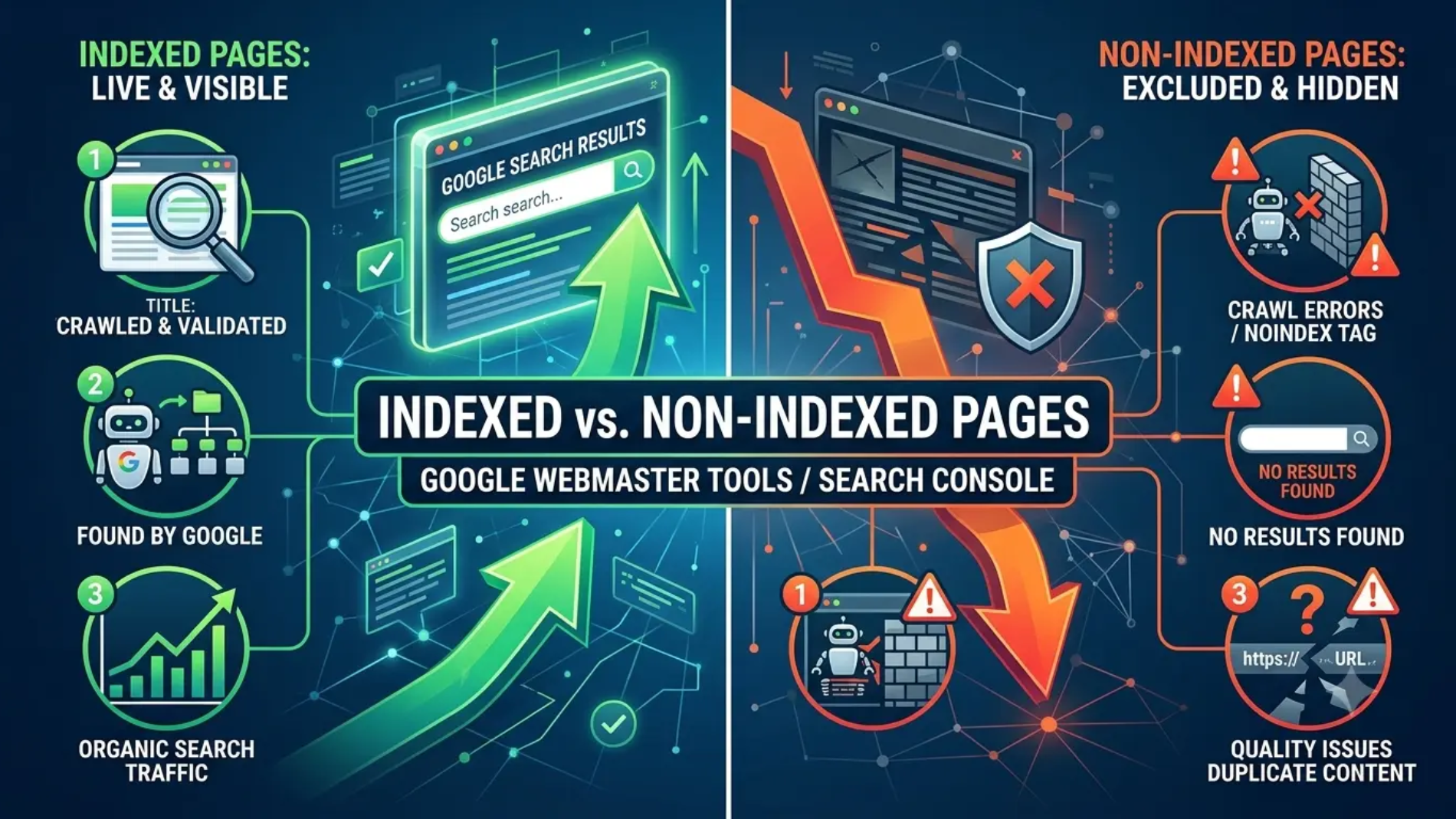
Indexed pages are pages that Google can save, understand and display in search results. Non-indexed pages are pages that Google found but did not include in its search index.
This is very important for USA roofing companies. If your service pages, city pages or blog posts are not indexed by Google, then those pages can’t be a source of traffic or leads.
This guide covers indexed pages, non-indexed pages, and how roofing businesses can increase their visibility. It also explains what to watch for in Google Search Console and how to resolve common indexing problems .
| Topic | Indexed Pages | Non-Indexed Pages |
|---|---|---|
| Meaning | Pages Google stores in its search index | Pages Google finds but does not add to the index |
| Search visibility | Can appear in Google search results | Cannot appear in Google search results |
| SEO value | Can bring traffic and leads | Usually brings no organic traffic |
| Common causes | Strong content, crawlable pages, good internal links | Noindex tags, duplicate content, crawl blocks, thin content |
| Roofing example | A roof repair service page in Google | A login page or duplicate city page |
Get Roofing SEO Help
Want more indexed pages and better Google visibility for your roofing website? Roof Rank SEO can help.
What Indexed Pages Mean
An indexed page is a web page that Google has crawled and added to its search index. When someone searches for roofing services, roof leak repair, roof replacement or roofing SEO, that page can be found.
Imagine the Google index as a giant library. People can find your page if it’s in the library. If it’s not there it remains invisible to search users.
A page can rank poorly but still be indexed. Indexing is just the first step. Next, ranking – based on quality, relevance & authority.
What Non-Indexed Pages Mean
Non-indexed pages are pages Google found but chose not to add to its index. These pages may still exist on your website, but they will not show in search results.
There are many reasons this happens. Some pages are blocked by a noindex tag. Some are blocked in robots.txt. Some are duplicates. Some are too thin or too weak to deserve indexing.
For roofing companies, this often happens with:
- duplicate city pages.
- thin service pages.
- tag pages with little value.
- old blog posts.
- filtered or parameter-based URLs.
Some non-indexable pages are normal. Login pages, admin pages, thank-you pages, and internal search pages usually should stay out of Google’s index.
Why Google Indexes Pages
Google indexes pages to match searchers with helpful content. Its goal is to show the best answers, not every page on the web.
Google first discovers a page. Then it crawls the page. Then it decides whether the page is useful enough to index.
For roofing websites, Google usually prefers pages that clearly answer user intent. That means pages about roof repair, roof replacement, storm damage, leak repair, metal roofing, and local roofing services.
How Google Search Console Helps
Google Search Console is the main place to check whether your pages are indexed. The Page indexing report shows which URLs are indexed and which ones have issues.
The URL Inspection tool is also useful. It tells you whether Google can see the page, crawl it, and index it.
For a roofing site, this matters because you can quickly spot problems before they hurt lead flow. If your main service page is not indexed, it cannot help your business grow.
Common Indexing Problems
Many pages fail to index for simple reasons. Some issues are technical. Others are content-related.
Common causes include:
- noindex tags.
- robots.txt blocks.
- duplicate content.
- canonical tags pointing elsewhere.
- slow server response.
- crawl errors.
- weak internal linking.
- thin content.
- pages with little unique value.
A roofing website can also struggle if it creates many similar pages for different cities. If the pages look nearly the same, Google may ignore some of them.
| Problem | Why it happens | What to do |
|---|---|---|
| Noindex tag | Page is blocked from indexing | Remove the tag if the page should rank |
| Duplicate content | Pages look too similar | Rewrite with unique content |
| Crawl block | Robots.txt stops Google | Allow crawling where needed |
| Thin page | Not enough useful content | Add value, details, and internal links |
| Canonical issue | Google is told another page is primary | Fix the canonical tag |
Why Roofing Pages Get Ignored
Roofing websites often have local pages, service pages, and blog content. That is good for SEO. But if those pages repeat the same text, Google may treat them as low value.
For example, a page for “roof repair in Dallas” and another for “roof repair in Houston” should not be nearly identical. Each page needs local details, service specifics, and unique proof of value.
Google also ignores pages that do not help users. A page with 150 words and no clear purpose is often too weak. A page with better structure, better internal links, and more detail has a much better chance of being indexed.
How To See Indexed Pages
You can check indexed pages in several ways.
Use Search Console
Open the Page indexing report in Google Search Console. This tells you how many pages are indexed, how many are not, and why.
Use URL Inspection
Paste a page URL into the inspection tool. It shows whether Google has indexed the page and whether there are issues blocking it.
Compare With Your Sitemap
Check your XML sitemap and compare it with indexed URLs. If many submitted pages are not indexed, that is a warning sign.
Search The Site
You can also search Google with:
- site:yourdomain.com
This shows some pages Google has indexed. It does not show everything, but it gives you a quick view.
How To Improve Indexing
The best way to improve indexing is to make your important pages easy to crawl and worth indexing.
Start with these steps:
- Add unique content to every important page.
- Remove duplicate or weak sections.
- Link to key pages from the homepage and service pages.
- Submit an updated XML sitemap.
- Fix noindex and robots.txt mistakes.
- Use clean URL structures.
- Add internal links from related blog posts.
- Improve page speed and mobile usability.
For roofing businesses, your most important pages should usually be:
- homepage.
- main service pages.
- city pages.
- contact page.
- high-value blog posts.
- service area pages.
Fix Indexing Issues
If your important pages are not showing in Google, our roofing SEO team can help fix it.
What Makes A Page Indexable
An indexable page is a page Google can crawl, understand, and trust.
To be indexable, a page should:
- load properly.
- have no crawl blocks.
- use unique content.
- match a real search intent.
- contain internal links.
- avoid duplicate or thin text.
A page can still be indexable and not rank well. But if it is not indexable at all, it has no chance to appear in search results.
What Makes A Page Non-Indexable
A non-indexable page is one Google cannot or should not index.
This can happen because:
- the page has a noindex directive.
- the page is blocked by robots.txt.
- the page is canonicalized to another URL.
- the page returns an error.
- the page is too similar to another page.
- the content is too weak.
Some pages should be non-indexable on purpose. That includes checkout pages, login pages, cart pages, and internal utility pages.
The Role Of Keywords
Keywords help Google understand what a page is about. They matter, but they are not the whole story.
The main keyword for this article is indexed pages. It works best when placed naturally in the title, first paragraph, headings, and some body text.
Supporting keywords can also help when used in the right place:
- web page index.
- unindexed websites.
- index pages.
- website indexes.
- indexed page.
- non-indexable.
Do not stuff these words into every paragraph. Use them where they make sense. Google wants clear, helpful content, not repeated keyword lines.
For roofing SEO, keyword use should feel natural. A good page explains roofing services first, then supports the topic with related terms.
Roofing SEO Strategy
For a roofing company, indexing is more than a technical issue. It affects lead generation.
If your service pages are not indexed, you lose chances to rank for valuable searches. If your city pages are not indexed, local traffic drops. If your blog pages are not indexed, your content cannot support your authority.
That is why you should treat indexing as part of your SEO foundation. Before you chase backlinks or ads, make sure Google can actually see your important pages.
A smart roofing SEO strategy should include:
- technical audits.
- content audits.
- internal linking improvements.
- sitemap checks.
- Search Console monitoring.
- content expansion for thin pages.
- page cleanup for low-value URLs.
Simple Fix Plan
If a roofing website has too many non-indexed pages, use this simple plan.
- Check the Page indexing report.
- Find the reason each page is missing.
- Fix crawl blocks and noindex tags.
- Strengthen thin pages.
- Merge duplicate pages where needed.
- Add more internal links.
- Request indexing for important pages.
- Watch results over time.
This process works best when you focus on pages that can bring leads. Do not waste time trying to index every low-value page on the site.
Why This Matters For Leads
Indexed pages are the pages that can win search traffic. Search traffic can turn into calls, quote requests, and booked inspections.
For roofing companies, that means indexing affects real revenue. A page that never enters Google’s index cannot compete for local searches.
That is why Roof Rank SEO should keep indexing healthy across every important service and location page. Good indexing supports better visibility, stronger content performance, and more qualified leads.
Grow Your Roofing Leads
Turn more pages into traffic, rankings, and leads with Roof Rank SEO.
Summary
Indexed pages are the pages that help your roofing company get seen in Google. Non-indexed pages may still exist on your site, but they cannot drive organic traffic.
Roof Rank SEO can use this knowledge to improve service pages, city pages, and blog posts. You can visit our social media Facebook & Instagram to learn more about roofing SEO and lead generation.
FAQ’s
What is an indexed page?
An indexed page is a page Google has added to its search database and can show in search results.
How do I see indexed pages in Google?
Use Google Search Console’s Page indexing report or the URL Inspection tool.
What is an example of an index page?
A homepage, category page, or directory page can act as an index page.
Is an index page the same as a content page?
No. An index page usually helps users find other pages, while a content page gives detailed information.
What is an index page called?
It may also be called a landing page, hub page, or directory page.
What does it mean if a paper is indexed?
It means the paper is listed in a database and can be found through search.
Why does Google index pages?
Google indexes pages so it can show useful results to users searching online.
Which pages are hard to index?
Thin pages, duplicate pages, blocked pages, and pages with errors are harder to index.
Can I remove a page from Google’s index?
Yes. You can use noindex, remove the page properly, or request removal through Search Console.
What is another word for index page?
Common words are landing page, hub page, and directory page.
Where does an index page go?
It usually sits near the top of the site structure and links to other pages.
What happens if a website is not indexed?
It will have very little visibility in Google search and fewer chances to earn traffic.
What are the three main types of indexes?
In SEO terms, people often mean search indexes, website indexes, and database indexes.
What does it mean if a page is indexed?
It means Google found the page, processed it, and made it eligible to appear in search results.